
Experiencing Canada’s cultural heritage through virtual reality requires nothing more than a VR headset, a stable internet connection, and 30 minutes to download, set up, and navigate your first immersive site. By 2026, VR heritage platforms have matured into accessible tools that transport you inside reconstructed Indigenous villages, 18th-century fortifications, and pioneer settlements without leaving your home. The technology works by combining 360-degree photography, archaeological data, and interactive narration to recreate historic environments you can walk through, examine, and learn from at your own pace.
This method bridges a crucial gap. Physical heritage sites face challenges: distance, mobility barriers, preservation needs that limit access, and the simple fact that some places no longer exist above ground. Virtual reality solves these problems by bringing vanished structures back to life and making remote locations instantly reachable. For educators, it means students in Toronto can explore a Haida longhouse on Haida Gwaii during morning class. For cultural explorers, it offers repeated visits to study architectural details, hear oral histories, and understand spatial relationships that photographs cannot convey.
The learning curve is gentle. Most Canadian heritage VR experiences prioritize intuitive navigation over technical complexity, designed for first-time users as much as seasoned virtual travelers. Success comes down to proper setup, understanding basic controller functions, and knowing which platforms host the content you want to explore.
Tools and Materials You’ll Need
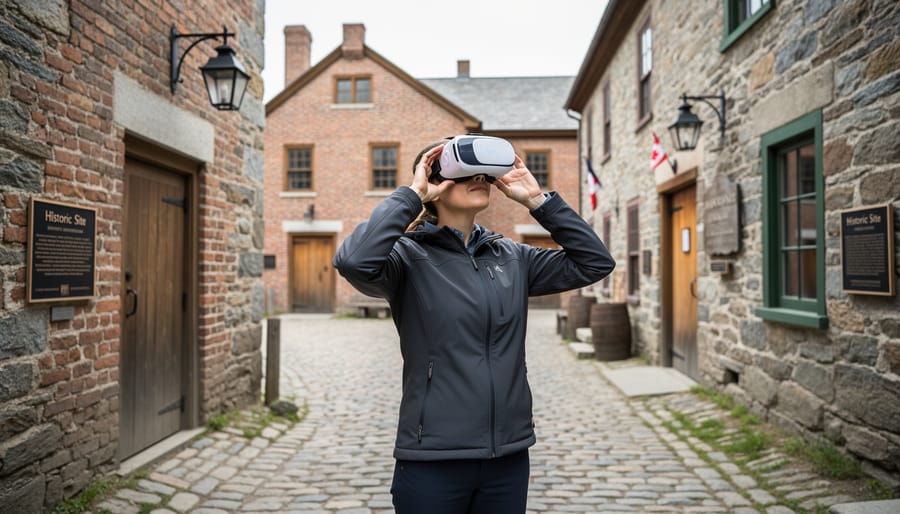
Before you step through a reconstructed 18th-century trading post or stand beside ancient Indigenous petroglyphs, you’ll need the right gear and access to Canada’s growing collection of virtual heritage platforms.
VR Headset Options
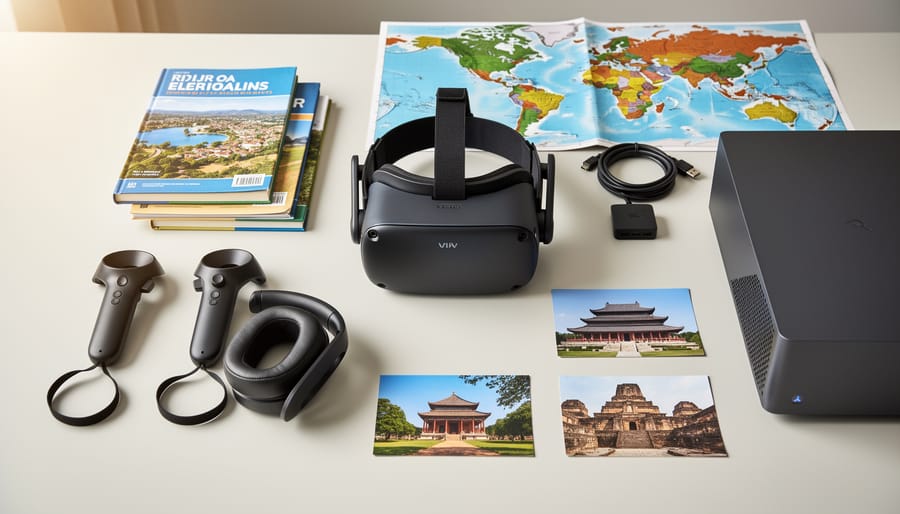
Your choice of headset depends on budget, technical comfort, and desired immersion level. Smartphone-based viewers like Google Cardboard or Samsung Gear VR offer an affordable entry point ($15-$100), requiring only a compatible smartphone slipped into a headset frame. Mid-range standalone headsets such as Meta Quest 3 ($500-$650) deliver high-quality experiences without requiring a computer, making them popular for casual heritage exploration. Premium PC-tethered systems like Valve Index or HTC Vive ($1,000+) provide the richest detail for examining artifacts and architectural features, though they demand a powerful computer and more complex setup. For first-time virtual heritage visitors, standalone headsets strike the best balance between accessibility and immersive quality.
Essential Equipment and Resources
Beyond the headset itself, you’ll need several supporting elements:
- Compatible device: Smartphone (for mobile VR), gaming PC with dedicated graphics card (for tethered systems), or nothing additional for standalone headsets
- Stable internet connection: Minimum 25 Mbps download speed for streaming VR content, 50+ Mbps recommended for highest quality experiences
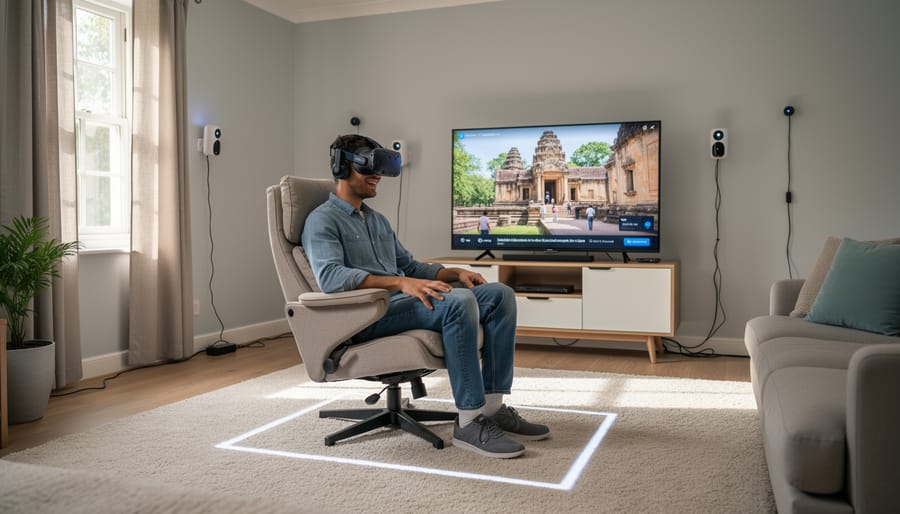
- Physical space: At least 2×2 meters of clear floor area for room-scale experiences, though many heritage sites work in seated mode
- Headphones or earbuds: Most headsets include basic audio, but separate headphones enhance historical narration and environmental sounds
- Platform accounts: Free registration with services like Heritage Canada VR, Google Arts & Culture, or provincial heritage networks
- Optional: Controller charging station, protective case, lens cleaning cloth, external battery pack for extended sessions
Software and Platform Access
Canada’s virtual heritage experiences live across multiple platforms. The Canadian Register of Historic Places maintains partnerships with several VR content providers, while individual provinces offer dedicated apps. Parks Canada’s Virtual Explorer program provides free access to dozens of national historic sites, downloadable through major VR app stores. Third-party platforms like Google Expeditions and CyArk host Canadian heritage content alongside global sites. Creating free accounts with these services before your first session streamlines the experience, letting you browse available sites and download content in advance rather than troubleshooting during your initial virtual visit.
Safety and Technical Considerations
Before you begin exploring Canada’s heritage sites through VR, understanding both physical safety and cultural respect is essential. The immersive nature of virtual reality carries unique considerations that can affect your comfort, safety, and the integrity of your experience.
Start by ensuring you have adequate physical space. Clear at least six feet in all directions around your VR area, removing furniture, cables, and other obstacles you might bump into while immersed. Many heritage experiences involve looking up at architecture or turning 360 degrees to view landscapes, so you need room to move safely without hitting walls or objects.
Motion sickness affects roughly 40-70% of first-time VR users, according to VR safety guidance. Start with shorter sessions of 15-20 minutes, gradually increasing duration as your tolerance builds. If you feel nauseous, dizzy, or disoriented, remove your headset immediately and rest. Some users find that standing experiences cause less discomfort than seated ones, while others prefer the opposite.
Age recommendations vary by headset manufacturer, but most devices are designed for users 13 and older due to developing vision systems in younger children. If you have vision impairments, check whether the platform offers adjustable focus or alternative navigation methods. Many heritage experiences now include audio descriptions and text alternatives for those with visual limitations.
Technical limitations can disrupt immersion. Older computers may struggle with high-resolution heritage reconstructions, causing lag or reduced visual quality. Internet speeds below 25 Mbps can result in stuttering during streaming experiences. Test your connection before committing to a lengthy virtual tour.
Cultural respect extends into virtual spaces. When exploring sacred Indigenous sites or culturally sensitive locations, approach them with the same reverence you would show in person. Some platforms include protocols about photographing or sharing images of certain spaces. Follow these guidelines carefully. Certain ceremonial grounds or burial sites may be represented in VR for educational purposes but should not be treated as entertainment. Listen fully to Elder narratives and cultural context provided before interacting with artifacts or spaces.
Step-by-Step: Embarking on Your Virtual Heritage Journey
Choosing Your Canadian Heritage Destination
Your first decision shapes everything that follows: which heritage site will you explore?
Start by identifying what draws you to Canada’s past. Indigenous heritage experiences transport you to ancient gathering grounds and sacred sites, where you’ll encounter traditional knowledge systems and cultural practices spanning thousands of years. Colonial history focuses on early settlements, fur trading posts, and the development of European communities. Military sites reconstruct battlefields, fortifications, and strategic locations from conflicts that defined national boundaries. Cultural landmarks showcase the diverse communities, Ukrainian churches on the prairies, Acadian villages in the Maritimes, Chinese heritage sites in British Columbia, that built modern Canada.
Most VR platforms organize experiences by theme, region, and difficulty level. First-time users should choose beginner-rated sites with clear navigation prompts and shorter durations, typically 15-30 minutes. These introductory experiences often feature guided narration and simplified controls. The Fortress of Louisbourg reconstruction, for instance, offers structured pathways and contextual pop-ups that prevent you from feeling lost.
Experienced VR explorers can tackle complex, multi-hour experiences with branching narratives and minimal guidance. These advanced sites reward patience with deeper historical detail and authentic environmental challenges.
Consider starting with virtual field trips that match historic places near you. Familiarity with a site’s physical location helps you appreciate how VR reconstructs lost or altered landscapes. Check experience descriptions for content warnings about culturally sensitive material, particularly when exploring residential school sites or locations connected to colonial violence. Some Indigenous heritage experiences request that users complete cultural orientation modules before entering sacred spaces, a digital equivalent of seeking permission to visit restricted physical sites.
Setting Up Your Virtual Environment
Before you step into a reconstructed 1820s trading post or walk the ramparts of a 19th-century fortress, you need to prepare both your physical space and your VR equipment. Start by clearing a play area of at least two metres by two metres, move furniture, remove rugs that might slip, and alert household members that you’ll be wearing a headset. Check for overhead obstacles like ceiling fans or hanging lights.
Power on your VR headset and follow the on-screen calibration prompts. Most systems will ask you to trace your play boundary by pointing at the floor’s perimeter, creating a virtual guardian system that warns when you approach walls. Adjust the head strap so the display sits comfortably against your face without pressure points, tighten the side straps first, then the top strap. The lenses should align with your pupils; use the IPD (interpupillary distance) slider if text appears blurry.
Launch your heritage platform’s application from the VR menu. If this is your first session, you’ll typically complete a brief tutorial explaining hand controller functions and movement options. Choose your preferred locomotion method: teleportation reduces motion sickness for newcomers, while smooth walking feels more natural but can cause discomfort initially.
Common troubleshooting: If tracking fails, ensure sensors have clear sightlines and adequate lighting. If audio cuts out, check Bluetooth connections. Black screens usually mean the headset cable has loosened. Most issues resolve with a simple restart of the application or headset.
Navigating and Interacting Within Historic Spaces
Once inside a historic space, movement feels intuitive: most VR platforms let you teleport short distances by pointing your controller and clicking, while some offer smooth locomotion if you prefer walking naturally through the environment. Start slowly, teleport to obvious points of interest rather than rushing through corridors. At sites like L’Anse aux Meadows you might teleport between reconstructed Norse structures, then pause to absorb each building’s details before moving on.
Audio narratives typically activate automatically when you enter designated zones, but you can also trigger them manually by focusing your gaze on information markers or touching controller buttons near artifacts. Let these stories play fully before moving, they’re timed to match what you’re seeing. If background voices overlap, step back slightly to reset the audio trigger.
Examining artifacts closely requires leaning in physically or using your controller’s zoom function. Many platforms let you rotate objects by gripping them virtually, revealing construction details, maker’s marks, or wear patterns invisible from a distance. Spend time here; these close inspections often reveal the most compelling historical evidence.
Historical reenactments usually trigger when you reach specific locations or timestamps. Watch for visual cues like shimmering outlines or prompts asking if you want to “witness this moment.” These scenes play on a loop, so you can reposition yourself for better viewing angles or replay sections you missed.
Pace yourself by setting mini-goals: explore one building thoroughly rather than skimming three. Take breaks every fifteen minutes to process what you’ve learned and prevent sensory fatigue that makes details blur together.
Documenting Your Virtual Visit
As you explore virtual heritage sites, documentation transforms a fleeting experience into lasting knowledge. Most VR platforms include built-in screenshot functions, typically accessed through a menu button or controller trigger combination. Capture images of architectural details, artifact close-ups, or panoramic vistas that catch your attention. These visual records become valuable references for later study or sharing with others interested in Canadian heritage.
Take notes immediately after removing your headset while impressions remain fresh. Many explorers keep a dedicated journal or digital document for each site, recording observations about spatial layout, historical narratives encountered, and questions that arise. Note timestamps or location markers within the VR environment so you can return directly to specific areas during future visits.
Bookmark features, available on platforms like Google Arts & Culture and Parks Canada VR experiences, allow you to flag significant locations or exhibits within larger heritage sites. Use these strategically to mark areas requiring deeper exploration or sections you want to share with students, colleagues, or family members.
Most platforms automatically save your progress, tracking which sites you’ve visited and areas you’ve explored. Before ending a session, check that your position is saved, especially important for sprawling locations like Fort Henry or Fortress of Louisbourg where complete exploration may require multiple visits.
Connect your VR discoveries to broader research by recording site reference numbers, historical dates mentioned in narration, and names of Indigenous nations or historical figures featured. These details provide starting points for exploring archival collections, academic resources, or planning eventual physical visits to locations that particularly resonated with you.
Enhancing Your Virtual Heritage Experience
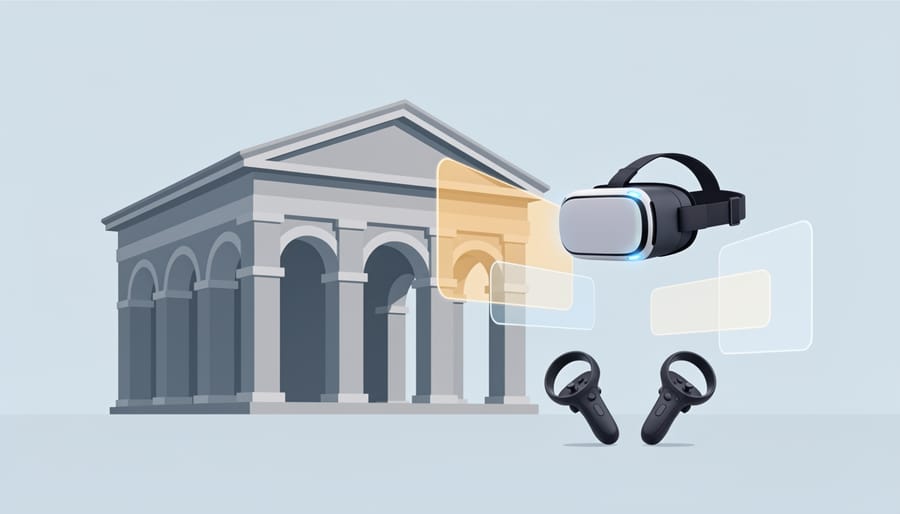
Your virtual heritage journey becomes richer when you layer additional research and real-world connections onto the immersive VR experience. Rather than treating each visit as a standalone encounter, consider the technology a gateway to deeper historical understanding.
Start by combining your VR explorations with archival materials from Library and Archives Canada or provincial repositories. After virtually walking through a reconstructed fur trade post, read first-hand accounts from traders and Indigenous partners who shaped that economy. Photographs, letters, and journals add personal dimensions that even the best VR reconstruction can’t fully capture. This dual approach, immersive technology paired with primary sources, creates a fuller picture of how people actually lived, worked, and connected within these spaces.
Reach out to site managers, curators, or educators connected to the locations you’ve explored virtually. Many heritage sites welcome questions from engaged learners and can point you toward lesser-known stories or explain restoration decisions reflected in the VR environment. Some institutions offer virtual Q&A sessions or online discussion forums where you can share observations and learn from experts who’ve spent years researching these places.
Participating in scheduled virtual guided tours transforms solitary exploration into collaborative learning. Unlike self-directed VR visits, guided experiences often include live narration from historians, archaeologists, or Indigenous knowledge keepers who highlight details you might otherwise miss. These tours frequently cover specialized topics, women’s roles at military installations, architectural evolution over decades, or seasonal ceremonies at Indigenous cultural sites like historic fishing sites where traditional practices shaped community life.
Consider these strategies for deepening engagement:
- Cross-reference VR content with contemporary photographs or sketches to understand what’s reconstructed versus what remains original
- Create a digital journal documenting observations, questions, and connections across multiple heritage sites
- Join online communities focused on Canadian history where members share VR discoveries and recommend experiences
- Compare VR representations of the same era across different regions to recognize patterns and regional variations
- Research the Indigenous nations whose territories include the heritage sites you’re exploring to understand ongoing cultural connections
Use your virtual visits as reconnaissance for eventual physical trips. VR experiences help you identify which sites warrant travel investment, what specific features deserve extended attention, and which questions to ask once you arrive in person. The technology doesn’t replace standing in these historic spaces, it prepares you to appreciate them more fully.
Frequently Asked Questions About VR Cultural Heritage
How much does it cost to start experiencing VR cultural heritage?
Entry costs range from zero (using smartphone-based VR viewers like Google Cardboard for $15-30) to mid-range standalone headsets around $300-500. Many Canadian heritage VR experiences are free to access once you have equipment, though some specialized platforms may charge subscription fees of $5-20 monthly.
How long does a typical virtual heritage site visit take?
Most VR heritage experiences last 15-45 minutes for a focused visit, though comprehensive explorations of complex sites like Fortress Louisbourg or Indigenous longhouses can extend to 90 minutes or more. You can pause and return anytime, making these experiences adaptable to your schedule.
Can children and seniors safely use VR for heritage exploration?
Most VR headset manufacturers recommend ages 13 and up due to developing vision systems, though some educational heritage content is designed for ages 10-12 with parental supervision and shorter sessions. Seniors can use VR successfully, but should start with brief 10-15 minute sessions and choose experiences with minimal rapid movement to avoid discomfort.
How does VR compare to virtual tours I can view on my computer screen?
VR creates spatial presence and depth perception that flat-screen tours can’t replicate, letting you look around naturally and gauge the true scale of historic buildings. Standard virtual tours work well for browsing, but VR’s immersion helps you understand how people moved through spaces and experienced these places historically.
Beyond these common concerns, people often wonder whether VR heritage experiences can truly substitute for visiting physical sites. The answer is nuanced: VR excels at showing places that no longer exist in their original form, revealing hidden details through x-ray views or time-lapse reconstructions, and making distant or physically challenging locations accessible. A virtual walk through an 18th-century trading post shows you spaces long gone, while augmented historical layers can reveal Indigenous land use patterns invisible to modern eyes.
However, VR can’t replace the tactile experience of touching century-old stone walls, the smell of aged timber in historic buildings, or the emotional weight of standing where significant events occurred. Think of VR as preparation and extension rather than replacement. Virtual visits help you decide which physical sites deserve your travel time, let you explore context before arriving, and allow return visits to refresh details after you’ve been there in person.
For people with mobility limitations, VR offers genuine access to stairs, uneven terrain, and remote locations that physical visits make difficult or impossible. The technology democratizes heritage exploration, letting someone in a wheelchair navigate Fort Henry’s upper battlements or letting an immunocompromised person explore crowded historic districts safely.
The learning retention from VR heritage experiences rivals or exceeds traditional methods for spatial and visual information. When you’ve virtually walked through a Métis settlement or explored a historic lighthouse, those memories stick because your brain processed them as places you visited, not just content you viewed.
Virtual reality has unlocked unprecedented access to Canada’s vast network of historic sites, transforming how we connect with the stories that shaped this nation. With basic VR equipment and an internet connection, you can now stand within Indigenous gathering places, walk through colonial settlements, and witness pivotal moments in Canadian history, all from wherever you are. The barriers of distance, mobility, and travel costs no longer prevent anyone from engaging deeply with cultural heritage.
As you embark on these virtual journeys, remember that you’re entering spaces of genuine historical and cultural significance. The narratives you’ll encounter, particularly those of Indigenous communities, early settlers, and diverse cultural groups, deserve the same respect in virtual form as they would during physical visits. Approach each site with curiosity and reverence. Listen carefully to the voices that guide you through these experiences.
Start with a single site that speaks to your interests. Test your equipment, adjust your comfort settings, and allow yourself to be transported. Whether you’re an educator seeking classroom resources, a history enthusiast exploring Canada’s past, or someone discovering their own heritage, these virtual experiences offer genuine pathways to understanding.
If you know of a significant heritage location not yet documented or registered, consider taking steps to ensure its preservation and recognition. Canada’s cultural landscape grows richer when communities actively participate in protecting and sharing their stories. Your virtual exploration today might inspire tomorrow’s preservation efforts.
